Home Lab Upgrade
Snapwhiz914 / October 2026 (1566 Words, 9 Minutes)
TL;DR: I have a few old laptops that I have turned into machines for my home lab. I have upgraded from the previous setup with my own rack solution, networking upgrade and addition of a laptop with a GPU capable of running LLMs.
Background
I have converted old laptops given to me by my parents and neighbors into servers for a home lab. Not only is it a great learning experience, it gives me a compute platform (albeit small) for my own projects, eg. PN-API.
Going to college only 2 hours from home is perfect. It’s long enough that going home every weekend isn’t practical, and short enough that I can come back if I need to. Nevertheless, that did not stop me from coming home a lot last year. Every time I would come home, I would walk by my “home lab” setup and think to myself “I can’t leave it like this”: the laptops were on the floor in the most inconvenient room in my house just to be close to the WiFi router, there were heat dissipation issues and I could only access them from college through Sunshine. Finally, I found time over the summer to do a makeover.
Improvements Planned
Rack
The most obvious improvement was consolidation via racking the servers. I did not even bother searching for existing rack solutions, since the form factor of my servers is not exactly standard. I also wanted lots of flexibility for heat dissipation, power delivery and networking. I explored some options for creating my own rack in OnShape. I briefly considered a stack-pole system (pictured below), but ultimately decided it was too inconvenient to get to the bottom server. I also considered building a rack with horizontal poles, however considering that I am a complete beginner to woodworking (wood is the only really practical material to build something like this in a short amount of time), I decided to keep looking.
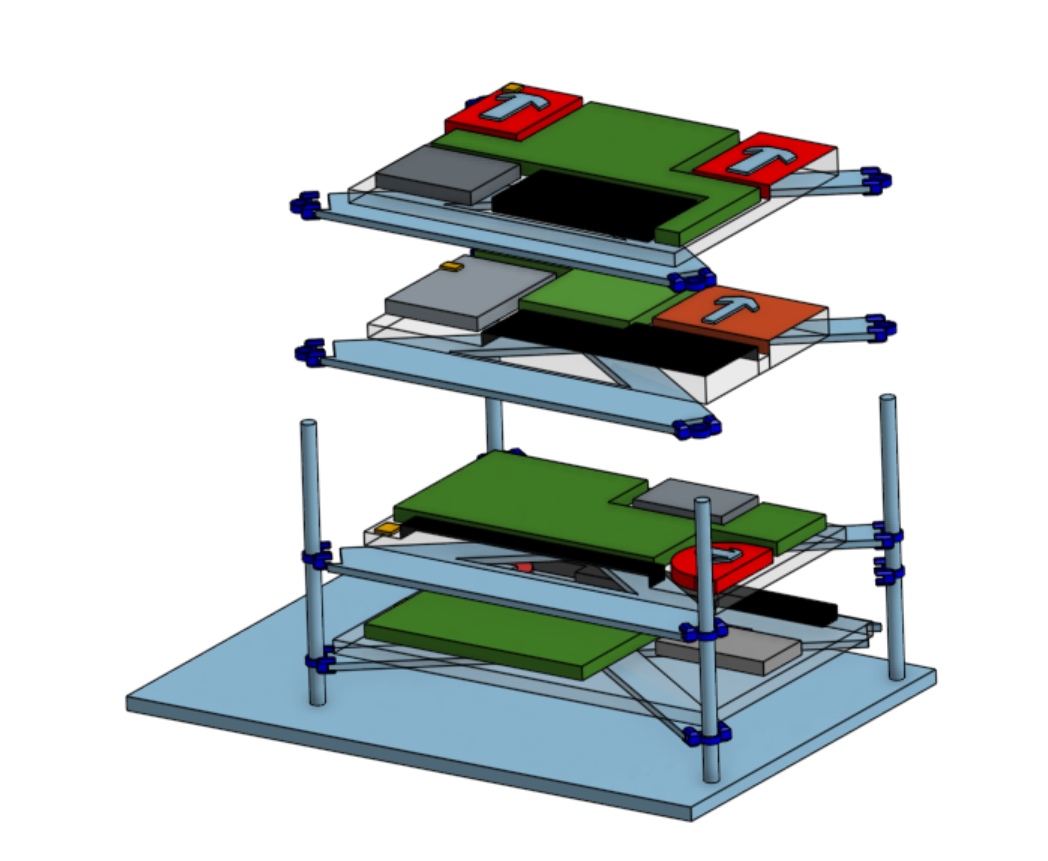 Each solid blue X shape assembly is the support that the servers would be mounted to, and the support would slide down the poles. I made a simple assembly for each server to represent its rough dimensions and fan direction (more on that below)
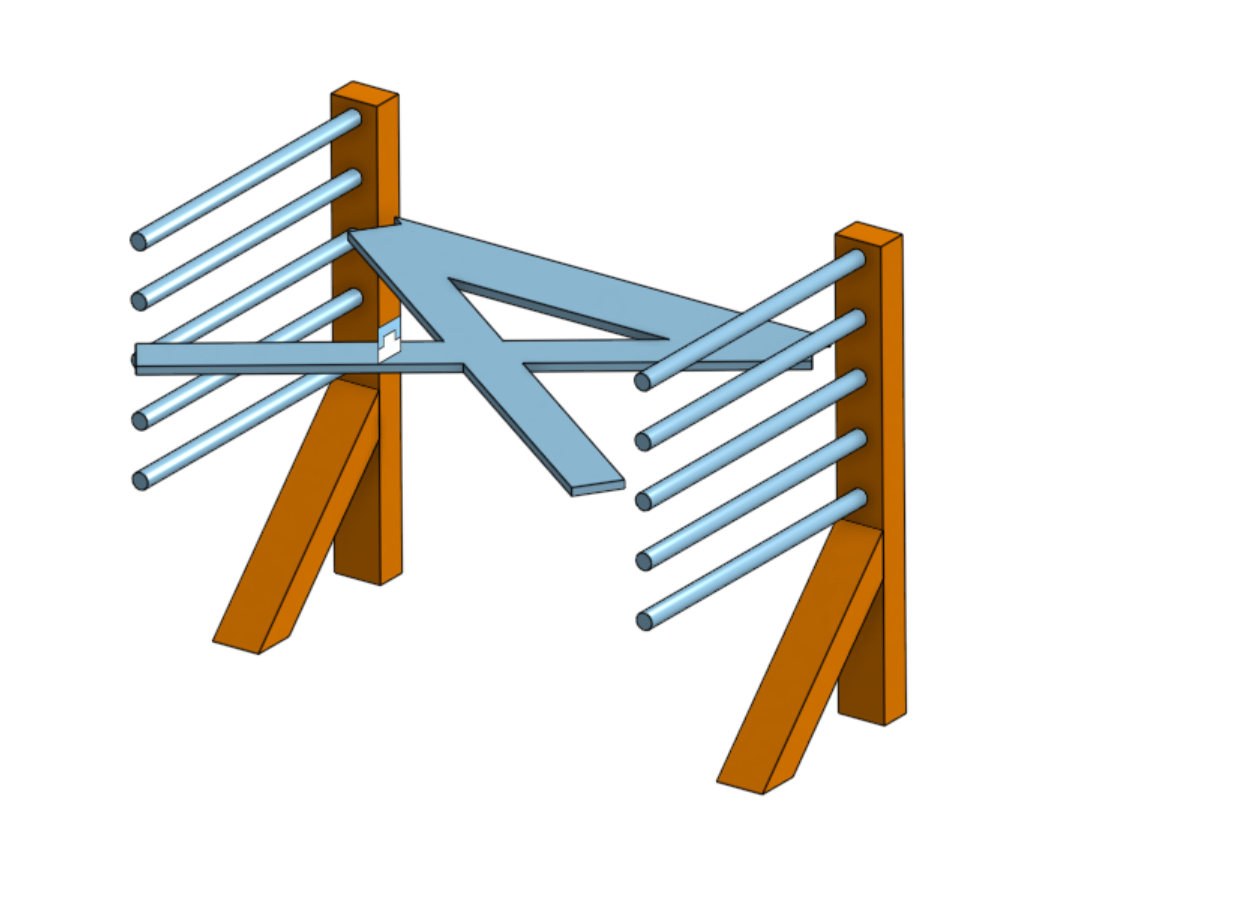 I chuckled a little bit looking at these CAD files as I’m writing this post. I have to go through the bad ideas to get to the good ones.
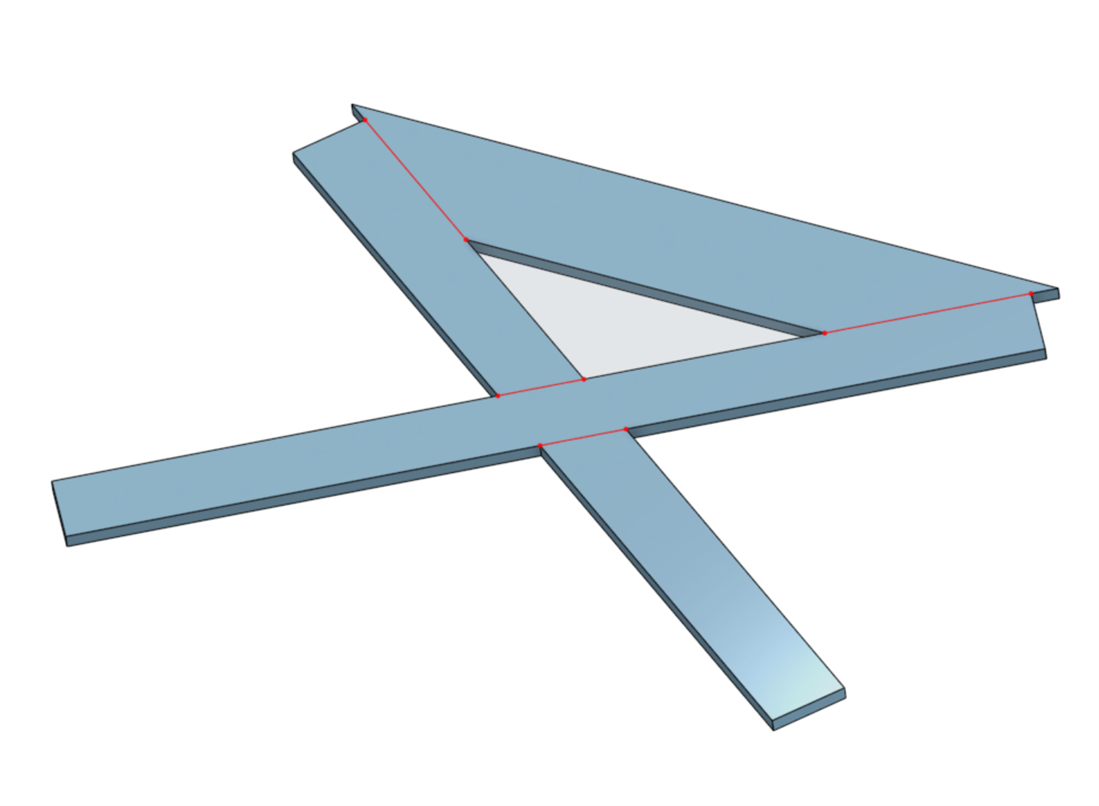
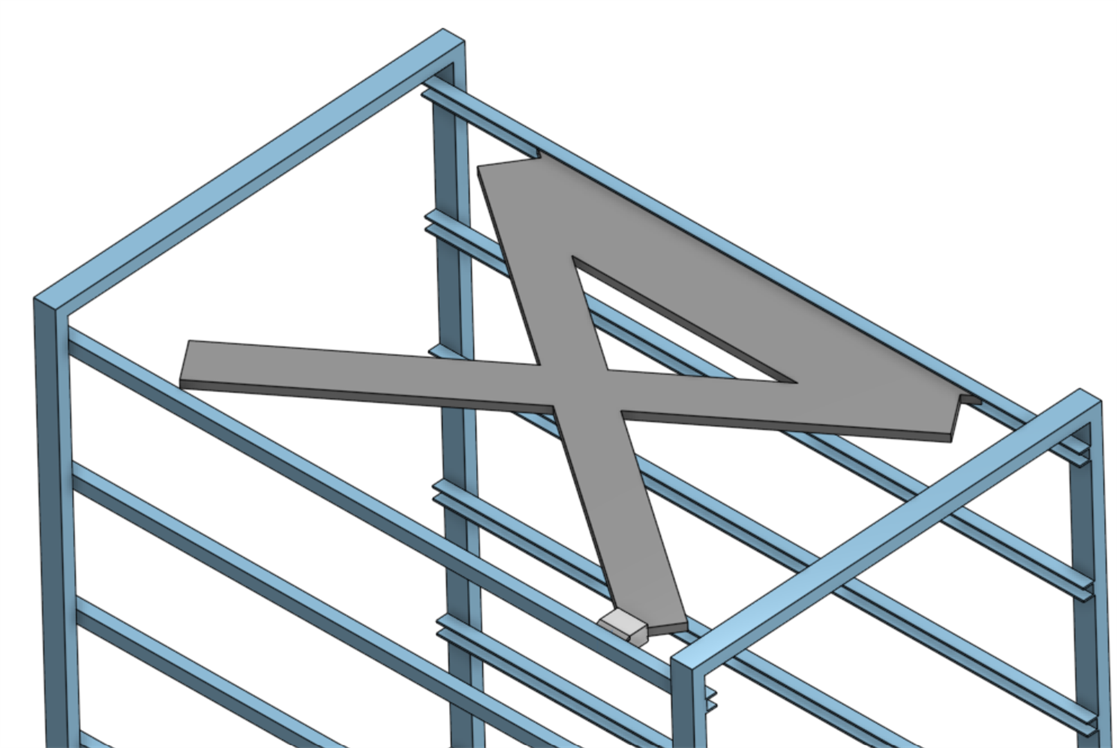
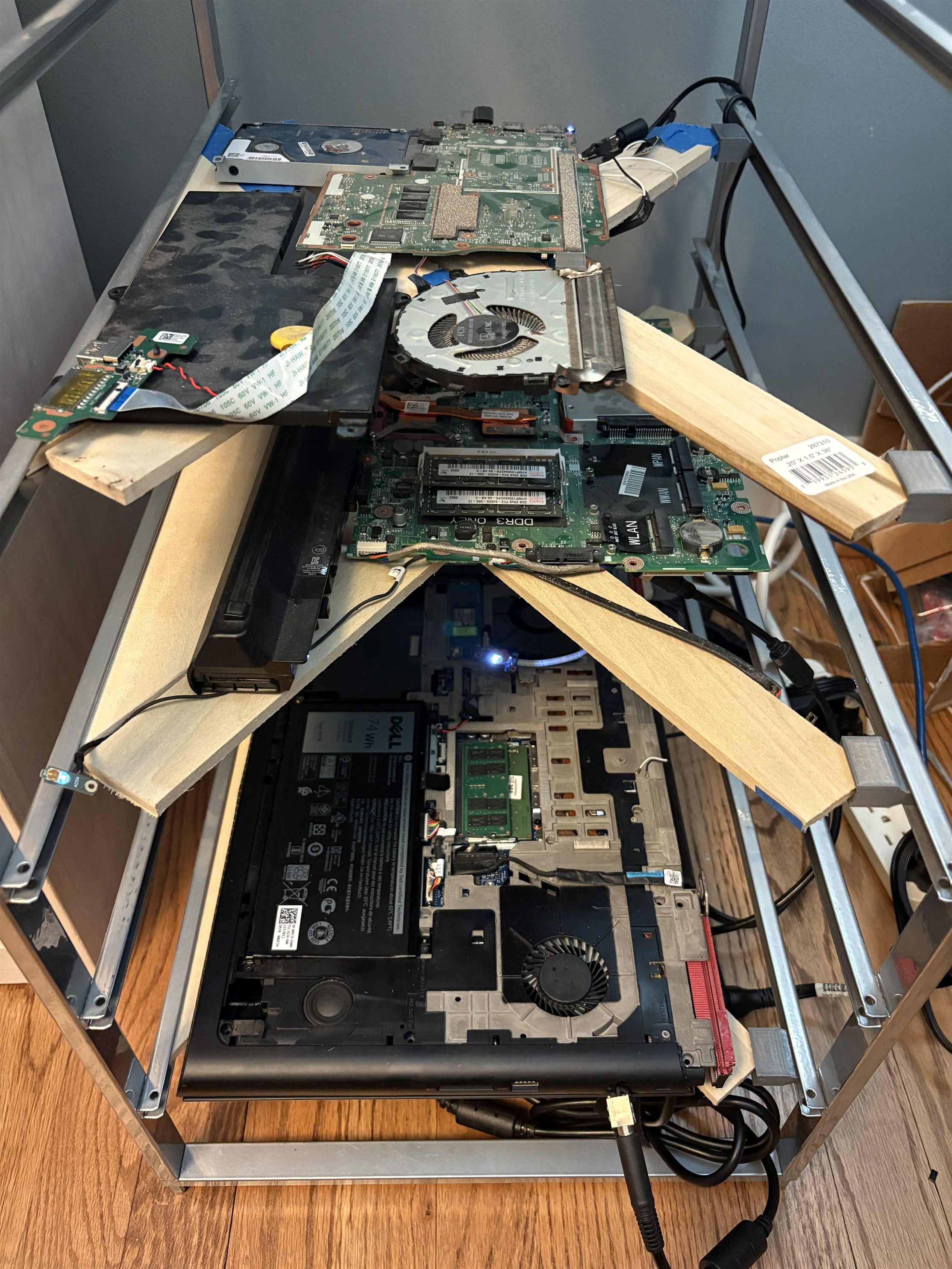
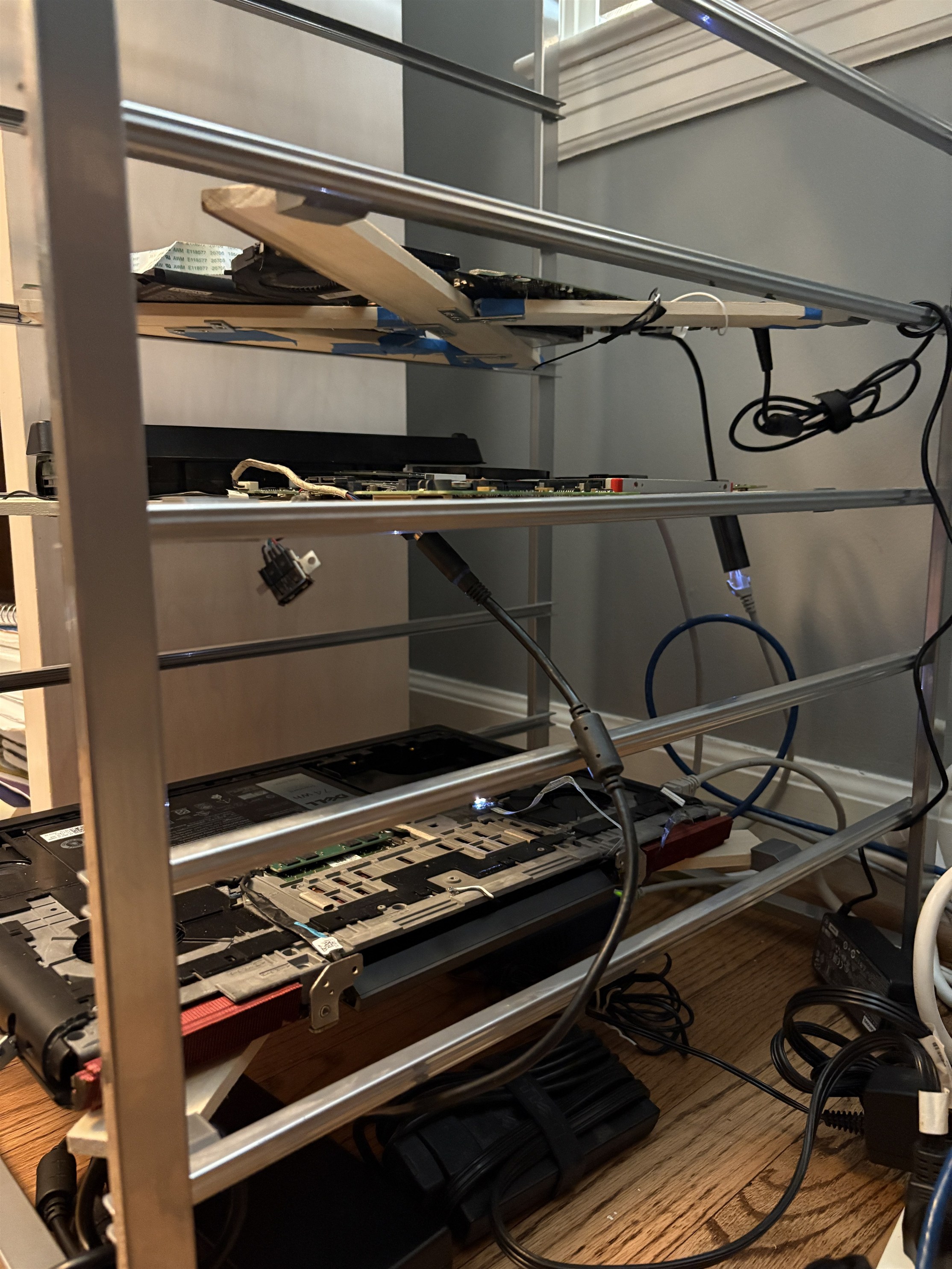
I found an old dresser drawer container in our attic and built a simple system around it. Each server would get its own rail, and sit on a holder that I would make out of wood.
Heat dissipation
The previous location of server4 was inside of an old shoe rack. It was surrounded closely on 3 sides, including the side with the fan on it, which was not ideal for heat dissipation. I don’t think that the server was affected running like that for so long but why take a chance on it.
In the rack CAD, I made simple assemblies representing the dimensions, layout, and most importantly the fan direction of each server.
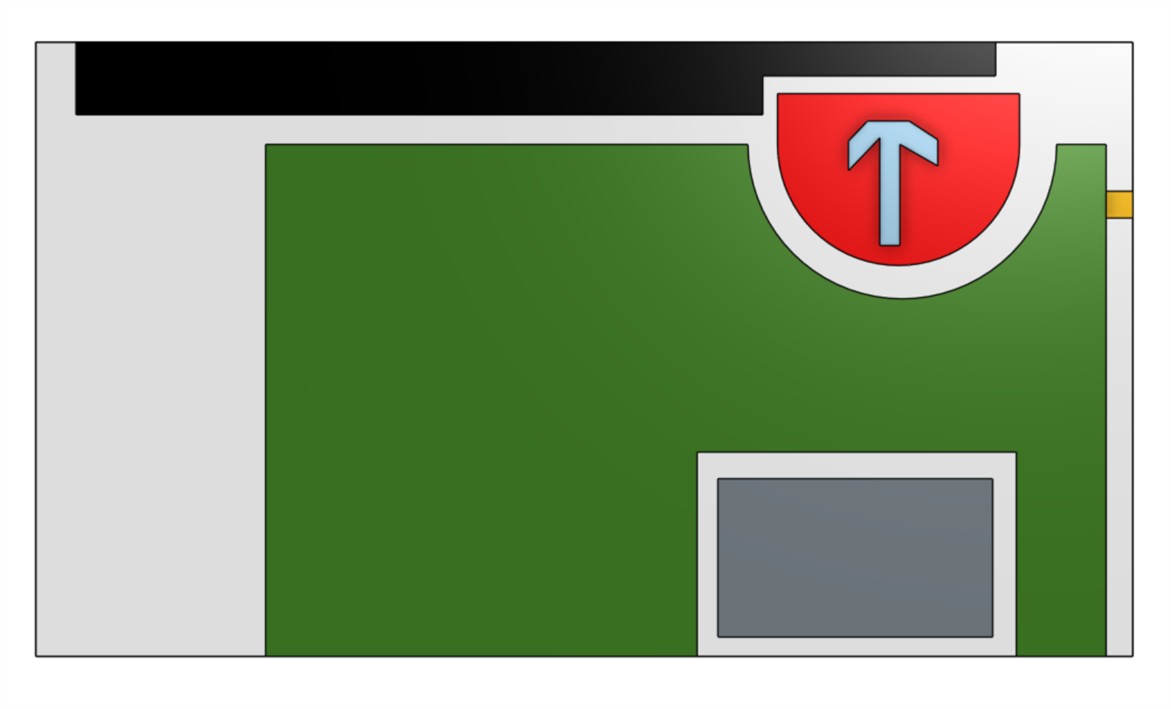
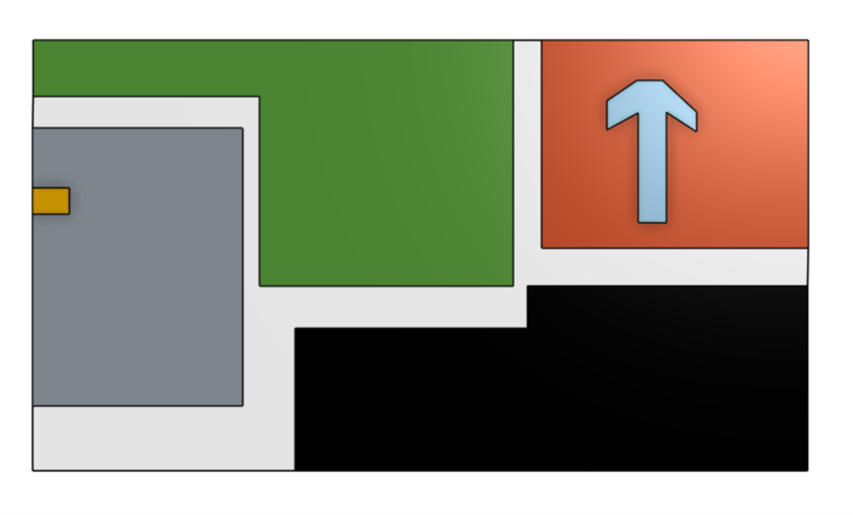
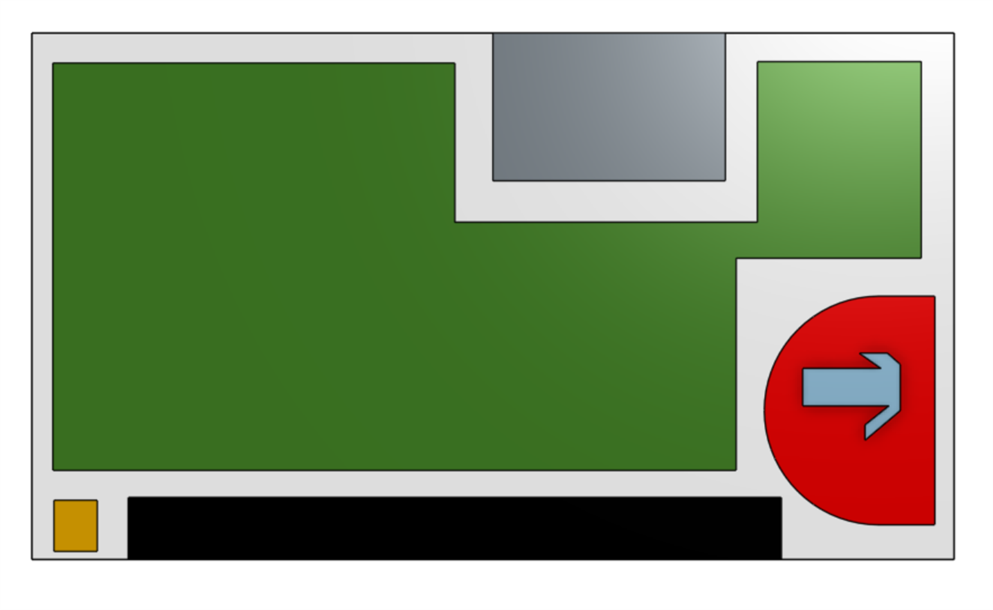
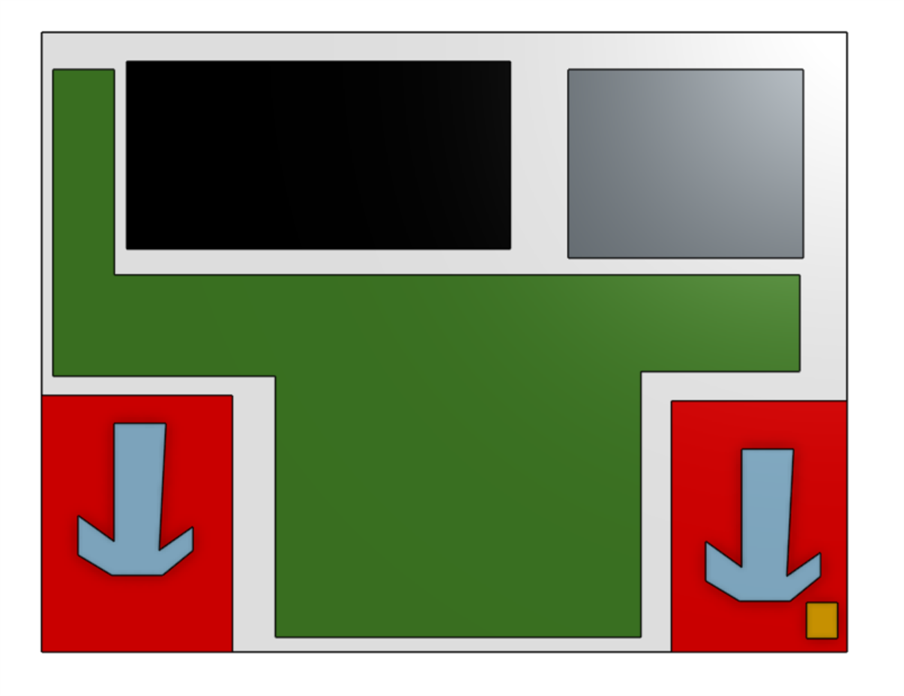 Server 2,4,5 and 7 from top to bottom. The green is the motherboard, the red is the fan, the black is the battery, the grey is the disk, and the orange is the power button
The fan directions are the most relevant here, as they helped me choose between 2 specific places in my house where I would put the rack. One place would have the left side of the rack close to a bookshelf, and the other place would have the back side of the rack close to a wall. I choose the latter, as it would allow for at least six inches of clearance on every other side for airflow for each server.
In the first picture in this post, 5 servers are shown. I had planned for another new server to go in, but decided it was not powerful enough to go through the effort of setting it up.
Networking
Over half of the home lab are old devices that my neighbors have given me: three are laptops, and one is an old managed switch, courtesy of my nextdoor neighbors. The major upgrade from the old switch is the addition of five more ethernet ports, which will be helpful when I expand again. Each server is plugged into it with a 1 foot CAT6 cable. I would share the make and model, but I would rather not advertise the exact model of networking equipment that I run for security reasons.
New Server!
I saved the best for last. My brother is a big gamer, and when one of his friends upgraded, he gave me server7, a Dell Inspiron 15 sporting an NVIDIA GPU with a high enough CUDA version and VRAM to run small LLMs locally. This is particularly exciting for an AI system that I am working on now and will release along with a blog post in the near future.
Challenges
Woodworking
Through three years on my FRC team, I had plenty of experience drilling into aluminum rails. However, I could not remember the last time I brought a hammer to a nail in wood. And I forgot that wood is prone to splitting if it is thin and you drill very close to the edge. Which is exactly what I did on my first support assembly.
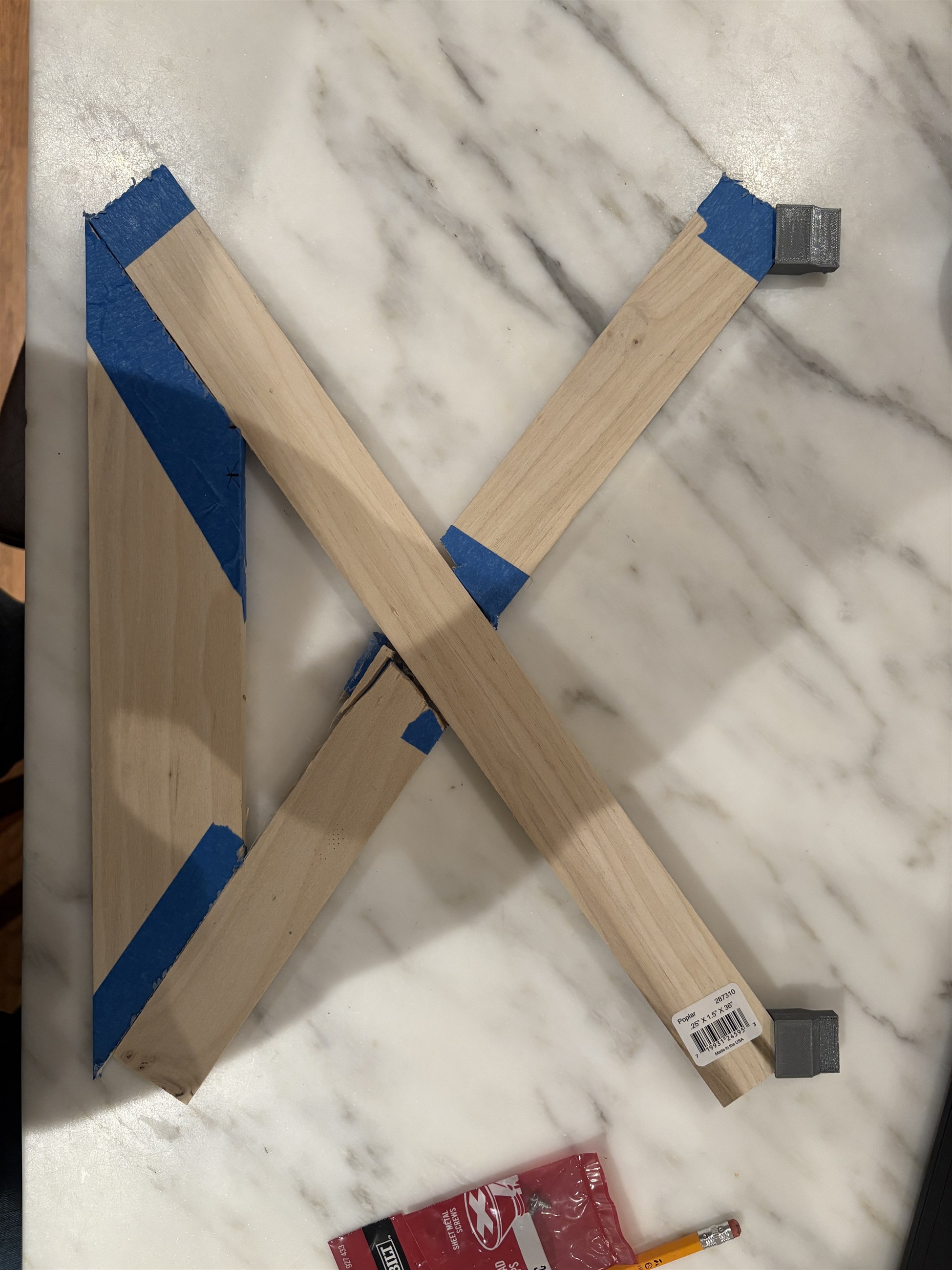
I learned my lesson and was more careful with the next assemblies. I had originally planned for 2 90-degree joints for every part where one piece of wood touched another, but found that only one worked equally as well.
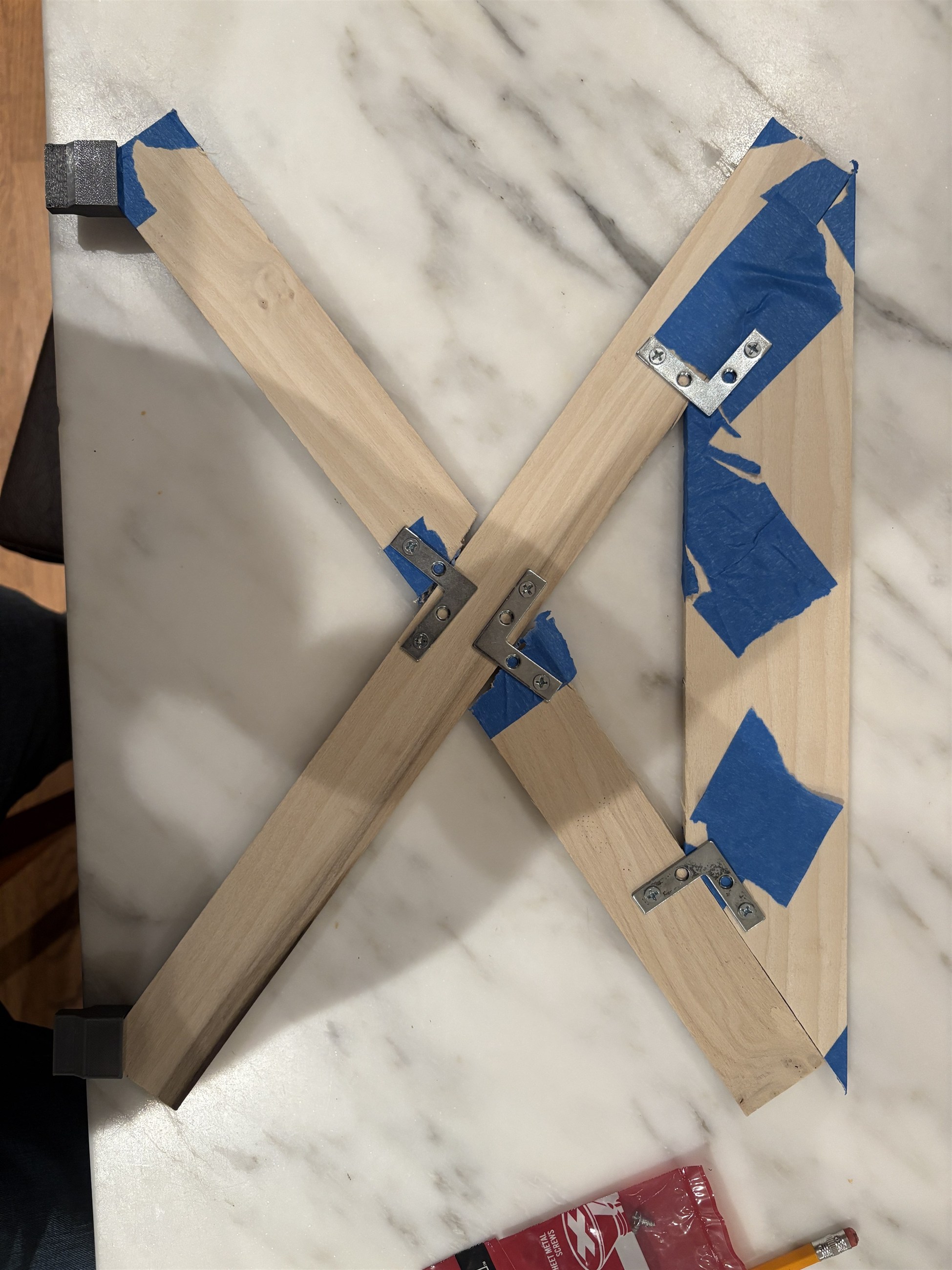
Structural integrity
I had planned for each supporter to be long enough to slide into the rack without needing any other attachments. I ran into two problems once I had built all four assemblies:
- I had cut two of them just short enough that they wouldn’t span the full length.
- The two that were long enough had a very small surface area of contact with the rail, and that contact was on a corner.
I designed a small attachment to the supporters that provided a platform to slide into the rail with more contact.

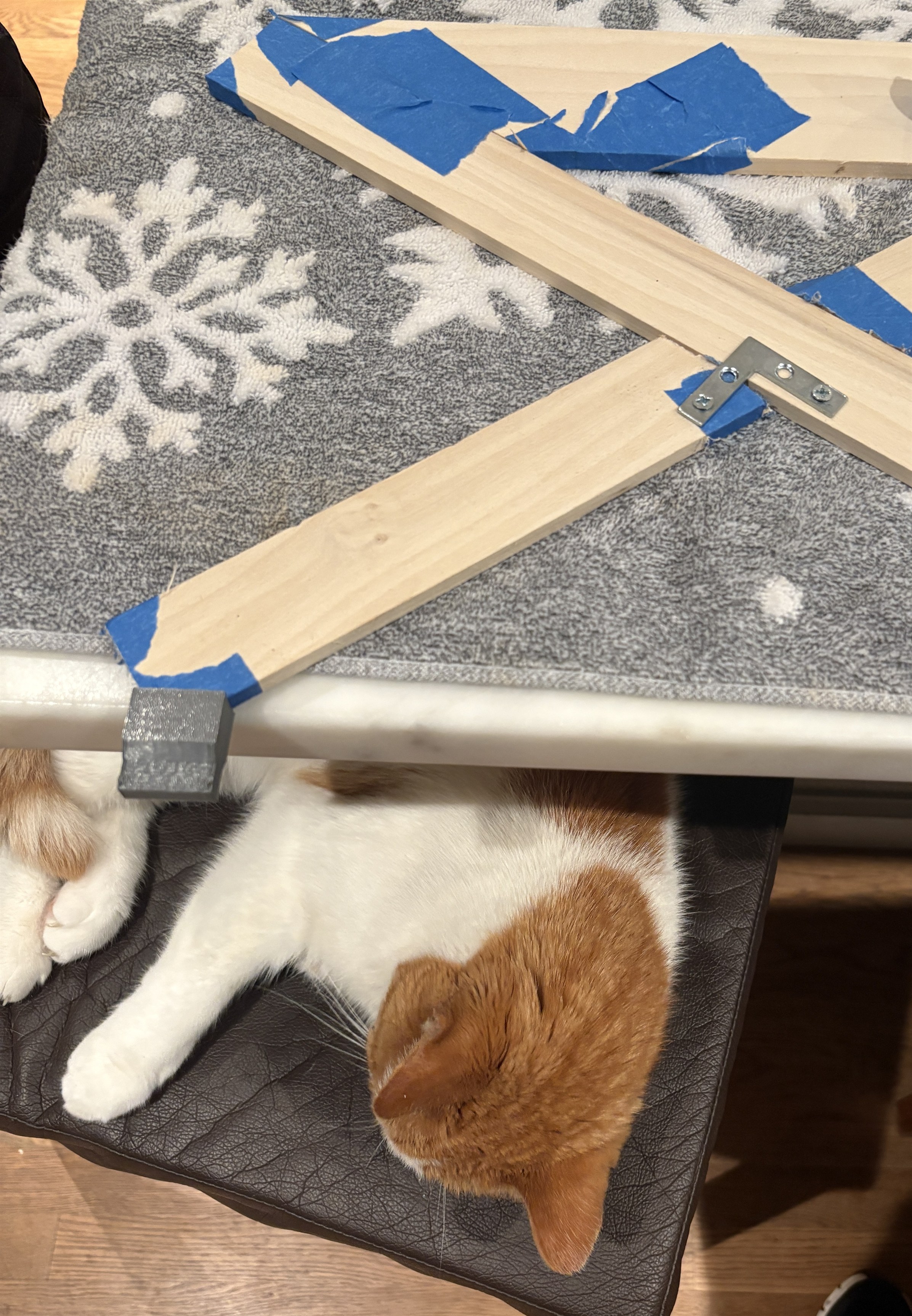
The cat pictured is our neighbor’s cat (the same neighbors who gave me their managed switch). He likes to come to our house and sleep.
Server troubles
It was smooth sailing with the rack after I 3d printed the attachment and tested it out. Setting up server7 went smoothly as well. I went to Ubuntu Server 24 LTS for this installation. The operating system installed without any trouble, however, the laptop would not boot if the screen was unplugged. I don’t leave the screen on any laptop since it takes up space and absorbs power even if it isn’t on, and of course the servers are headless so there is no need for them. I diagnosed the problem with Claude for about an hour (I would send it videos of the terminal output and type the commands it recommended to me), but it could not figure it out. I decided it was not worth it to continue, so I just left the screen in and made a cron job to turn off the screen 30 seconds after boot.
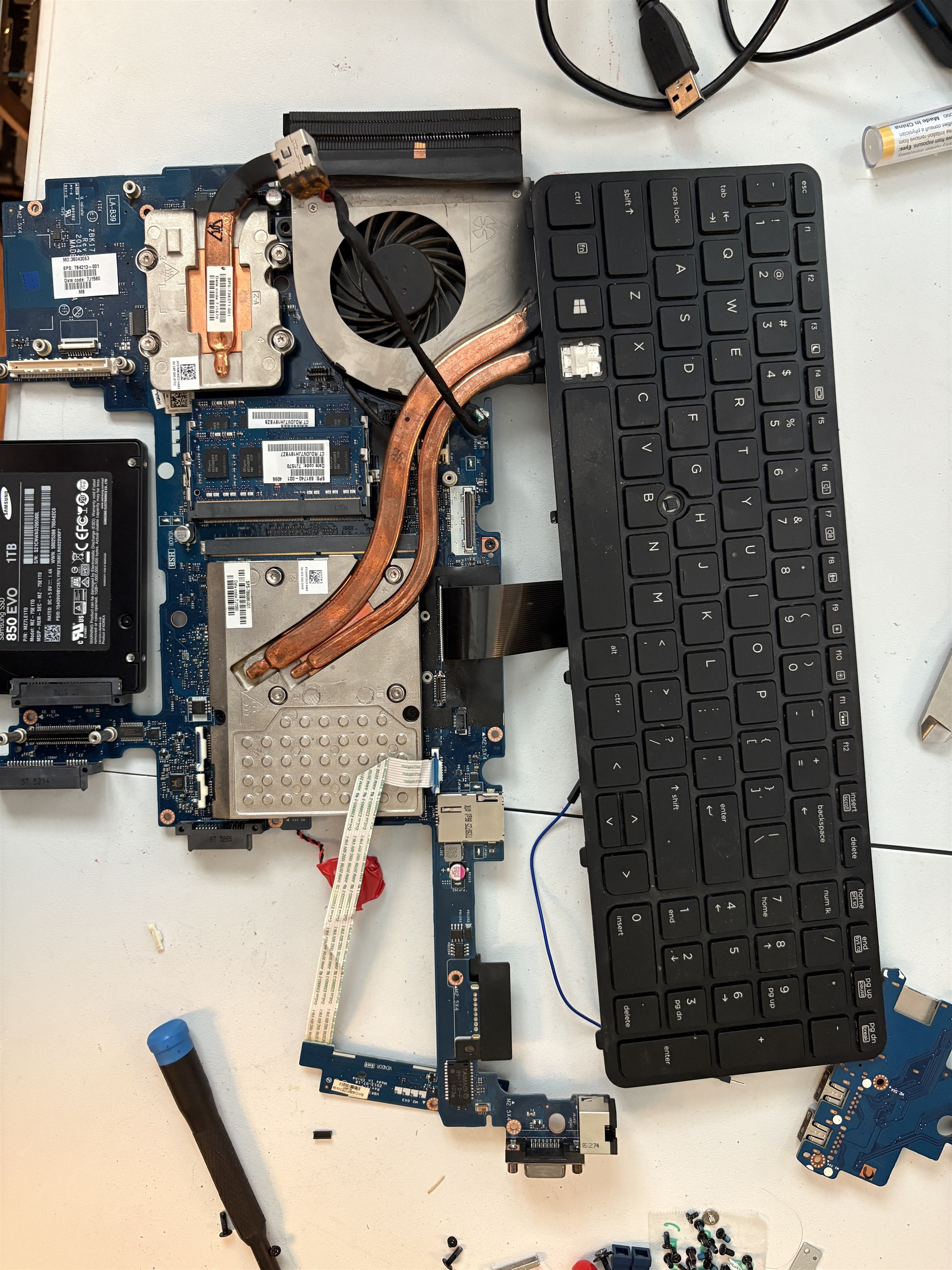
The true low point of the whole project, through, was server5 no longer booting. When I pressed the power button, the fan would turn on but nothing happened. I couldn’t even get it to BIOS. This is not the first time; this is the reason that i converted it to a server from its original purpose as a COVID Zoom school laptop in the first place. Back in 2021 when it originally stopped working, I determined that there was a motherboard issue and ordered a new one from EBay. Low on time and worried that it would happen again, I decided to leave server5 broken for now.
Final product
I am overall happy with how this project turned out. server2, server4 and server7 all run in this rack. I finished the setup midway through my summer, and made more modifications discussed below.
Later modifications
Ethernet upstairs
The reason the servers were located in such an inconvenient room was router proximity for Ethernet connection. For the first month of this setup running, there was no Ethernet connection to the switch. Right before I left for college, I recruited my Dad to help me run an Ethernet cable from the electronics closet downstairs to my room upstairs. After two days of drilling holes in our drywall, installing ethernet keystone jacks and getting familiar with our crawlspace, we got a continuous CAT6 cable to the servers.
Tailscale
I put all of the servers and my laptop on a Tailscale network and wow I really should have done that sooner. It is now extremely easy and secure to connect to my servers from college. It was very easy to set up as well, making it ideal for a week night when I did not have any homework.
Next steps
- Backup power is the next major upgrade planned. For the sake of learning and DIYing, I’m considering making my own UPS, however this one from Mini-Box offers my ideal level of customization as well.
- I would like to remove each individual fan and centralize cooling. I am not sure how that would work, and have not performed the calculations to see if that would even be more effective than the way it is now, but I am sure it would be a great learning experience.
- An automated power on and off system via a microcontroller wired to each laptop’s power button would be especially nice for just shutting off servers that aren’t doing anything and turning them on remotely if I need to access them.
- Cable management. A full fledged cable pathway probably isn’t worth setting up, but just attaching cables to the rail would help make it look nicer.